Runs on the Screens You Have, or the Ones We Build
Introduction
Your beds got new. Your nurse call got new. The software on the patient room screens is still tied to one vendor's box.
That is the lock most hospitals live with. The TV system runs only on the TVs that vendor sells. The whiteboard runs only on the panel that came with it. When one piece ages out, the whole room gets bought again.
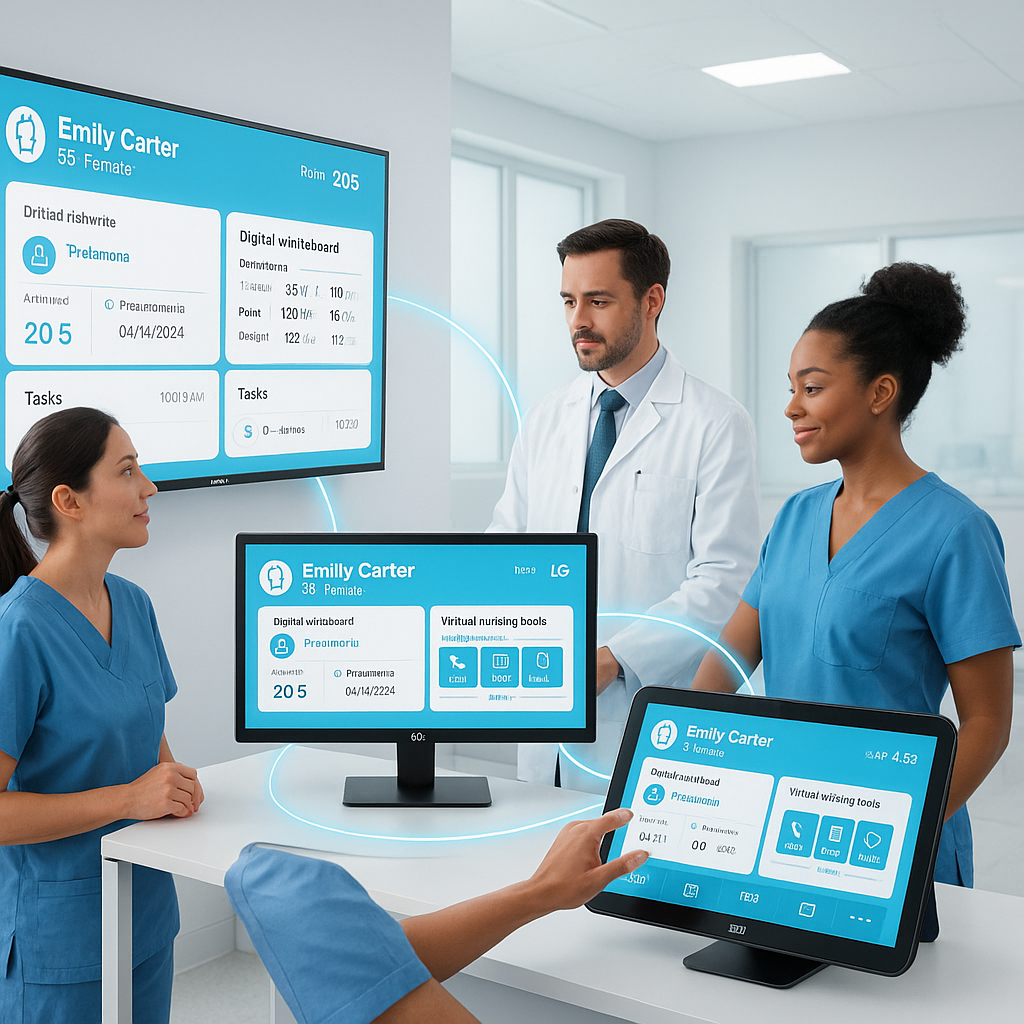
HCI ONE works the other way. It runs on the screens you have, or the ones we build. You choose by room, by unit and by budget. The software is the same either way.
What It Means
The screens you have
Patient TV runs as a launcher on the Samsung and LG healthcare TVs already on hospital walls. No box behind the set. No new wall. Most of HCI ONE runs in a browser, so the screens stay simple.
The ones we build
Some rooms need a screen built for the job. HCI builds its own hardware for the patient room: touchscreen whiteboards, door signs, bedside tablets and the arms and mounts that hold them, in white or black. Your dealer hangs them, and Engine enrolls each one as it goes up.
Same software either way
A Samsung TV in one wing and an HCI whiteboard in the next read the same event at the same moment. One console manages all of them.
The Problem with One Vendor's Box
You pay twice for the same wall
If the software runs on one brand only, a working TV becomes scrap the day you change systems. The screen was fine. The lock was the problem.
The roadmap is theirs
A locked system moves at the vendor's pace. A new feature waits for their next hardware cycle, and so do you.
Every product is another interface
Buy the TV from one company, the whiteboard from another and the virtual nursing cart from a third. Now you have three interfaces to your record and three vendors pointing at each other.
Where Each Choice Makes Sense
Patient TV: keep the set
The TV is where reuse pays. Most hospitals already own healthcare TVs. Patient TV turns them into an interactive patient system: who is caring for me, what happens next, meals that follow the diet order, education, requests and family video calls.
Whiteboard: one device, every job
Almost no hospital has a whiteboard screen on the wall today, so the whiteboard story is not reuse. It is one device doing every job: the care plan by day, a reorientation card at 2 AM, the code record in a Code Blue and the camera for the virtual nurse.
Door signs and unit boards: either way
A door sign can be an HCI display at the doorway. A unit board can be a large TV at the station. Command, our unit status board, runs on both.
Virtual nursing: no cart
Guardian runs on the camera in the room's whiteboard or TV. One virtual sitter watches 12 rooms on one screen. Nobody rolls a cart from room to room.
What Runs Underneath
On your servers
HCI ONE runs inside your walls, on your network. Engine, the integration engine and device manager, sits on your servers and feeds every screen.
One interface to your record
Epic, MEDITECH and Oracle Health connect over HL7 v2, once. Nurse call from Rauland, Jeron and others, Stryker smart beds and RTLS connect the same way. Bidirectional Epic writeback is live at a customer hospital.
Real time on every screen
When the chart changes, the door sign, the whiteboard, the TV, the unit board and the nurse's phone change with it. Not on a timer. The moment it happens.
What to Ask Any Vendor
1. Which TV models does your patient TV run on today, by name?
2. If we change TV brands in five years, what happens to the software?
3. Do your TV, whiteboard and door sign share one interface to our record, or one each?
4. Where does the software run: on our servers, or somewhere else?
5. Who installs it, and who do we call when two screens disagree?
Conclusion
New beds. New nurse call. New chairs. The screens should not be the one part of the room locked to the past.
Buy software that runs on the screens you have, or the ones built for the room, and keep that choice every time a screen ages out.
FAQs
1. Can HCI ONE run on the TVs we already own?
Yes. Patient TV runs on the Samsung and LG healthcare TVs already on hospital walls, and most of the rest of HCI ONE runs in a browser.
2. Does HCI make its own hardware?
Yes. HCI builds whiteboards, door signs, bedside tablets and mounts for the patient room, in white or black, under the HCI name.
3. Can we mix brands in one hospital?
Yes. Samsung TVs on one unit, LG on another and HCI whiteboards in every room all run the same software and report to one console.
4. How does HCI ONE connect to the EMR?
Through Engine, over HL7 v2, to Epic, MEDITECH and Oracle Health. Nurse call, Stryker beds and RTLS connect the same way, once.
5. Where does the software run?
On your own servers, inside your network. Most screens run it in a browser.
Next Steps with HCI
Tell us what is on your walls today and how many beds you have. In thirty minutes we will show HCI ONE running on those screens with sample data. Your dealer installs it.
Book a demo.
Part of the team building the operating system for the patient room.
Four Rooms Is Not a Program
New
The Door Sign Is an iPad Now
Walk down any med surg hallway and look at the doors. A paper card in a plastic sleeve. A precaution sign taped above it. A dome light over ...
We Built a Hospital Room in a Warehouse
Field notes
See the platform behind the writing.
Thirty minutes, real software. We connect HCI ONE to a sample chart and walk your scenarios.
Book a demo ← All posts