If your hospital has 25 to 100 beds, you can have virtual nursing running in weeks. You do not need an ICU, a health system budget or a long project.
Virtual nursing is often described as a program for big hospitals. It does not have to be. Here is what it is, in plain words, and what it takes to put it in a hospital your size.
What Guardian is
HCI ONE Guardian is a virtual nursing platform. It is three things.
- A unit in the patient's room. A camera, microphones, a speaker and a small computer in one box, on one mount.
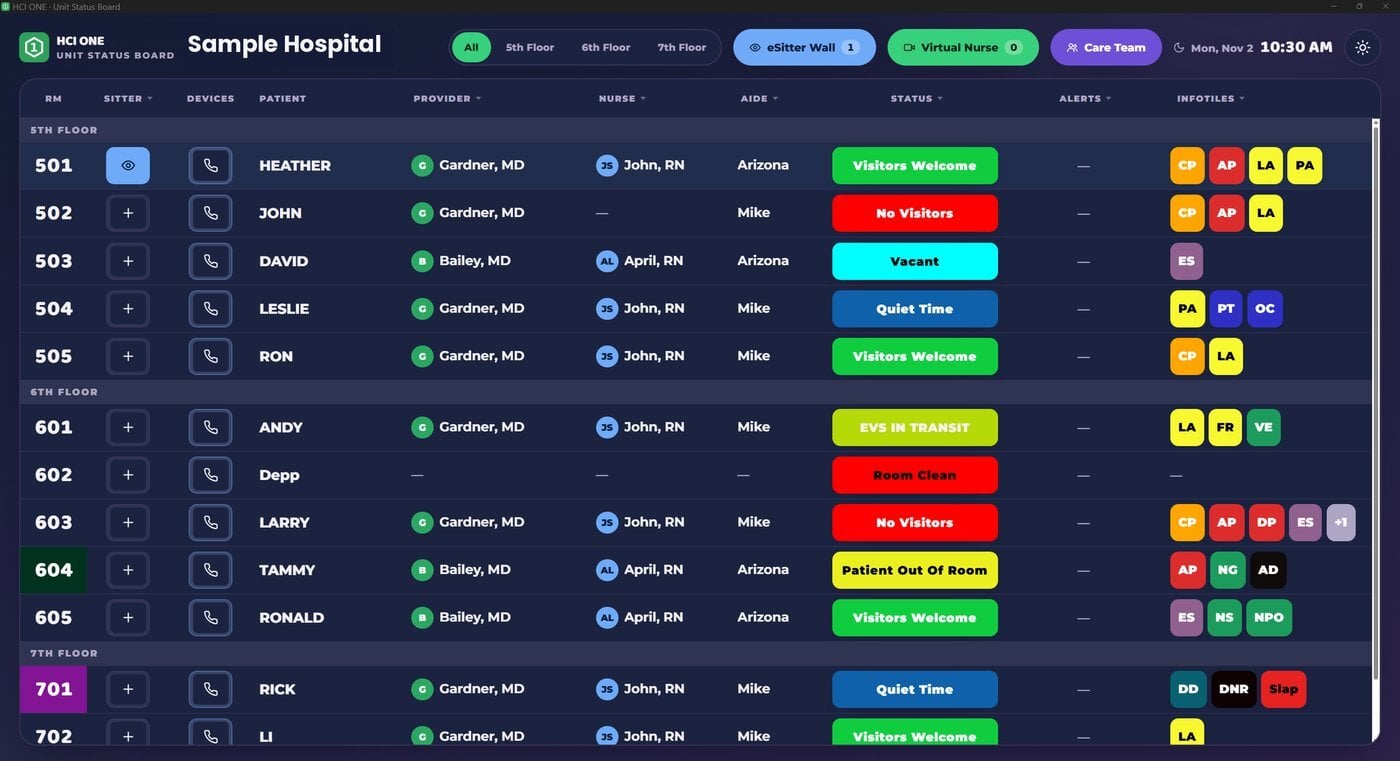
- A screen at a station. A nurse at the station, in a dedicated HCI ONE Windows app or in a browser, sees the rooms and starts a video visit with any patient, the way you would start a telehealth call.
- Software that runs in your building. Guardian runs on premise, on your own network.
Your own nurses can run it. A nurse who knows your unit does the visit, and the nurse at the bedside stays with the patient who needs hands on care.
Two things your nurses can do with it
Virtual visits. Admission questions, discharge teaching, education and check ins happen on a video call between the station and the bedside. The picture is clear and the sound is clear, so the bedside nurse is free for the work that needs hands.
Patient monitoring. The same camera keeps watch. One person at the station can see up to 12 rooms on one screen, speak to a patient through the speaker in the room and call for help right away. It is the job a sitter does in a chair, for many rooms at once.
Monitoring is built in. You do not buy a second system for it.
Why smaller hospitals were left out
Virtual nursing is usually described as an ICU project or a program for a large health system. That means many parts, a long install and a budget to match. A 40 bed hospital has a CNO, an IT person and a few weeks. It does not have a program office.
Guardian was built for that hospital, and for the rooms outside the ICU.
Why it goes in so fast
- One unit per room. The camera, microphones, speaker and computer are one device on one mount. There is no PC to buy and no separate microphone to run.
- Every room is the same. Room ten is set up the way room one was. That is what lets it grow from one unit to the whole hospital without starting over.
- Every device enrolls at install. Each one is enrolled in Engine and takes the same release as every other HCI ONE device in the building.
A room needs a wired network drop or WiFi 6, and 12 V DC power at the unit.
What goes in the room
Guardian has two room terminals.
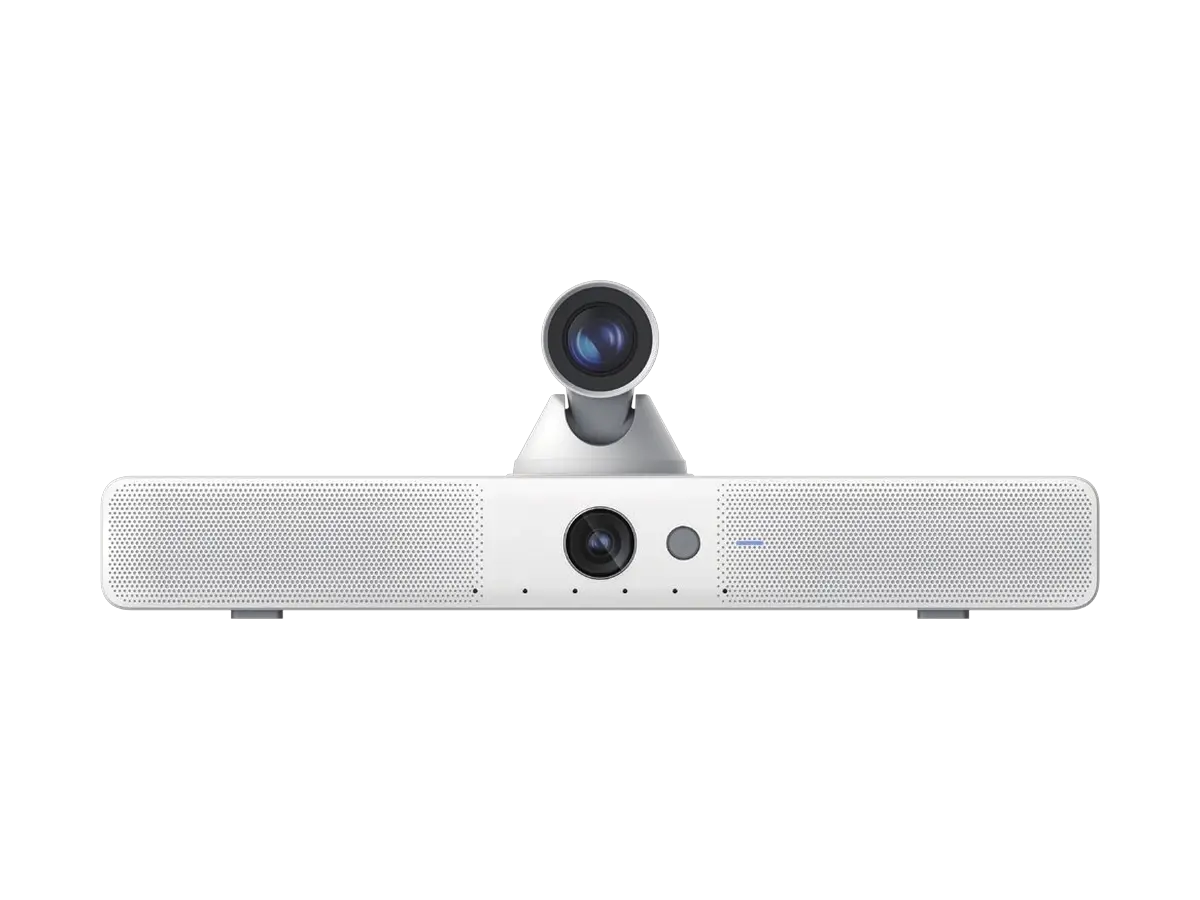
The GV2 Guardian Vision Pro holds two cameras, a six microphone array, two 8 W speakers and a computer in one unit. The wide camera has a 110 degree view and does not move, so the whole room stays in sight. The close up camera zooms 20x optically, close enough to tell whether a foot is on the floor. Video is 4K at 30 frames per second, and low light goes down to 0.025 lux with infrared illumination, so the room is watchable at 3 a.m. The computer is built in. It is Android 14 with 16 GB of memory and it runs Guardian directly.
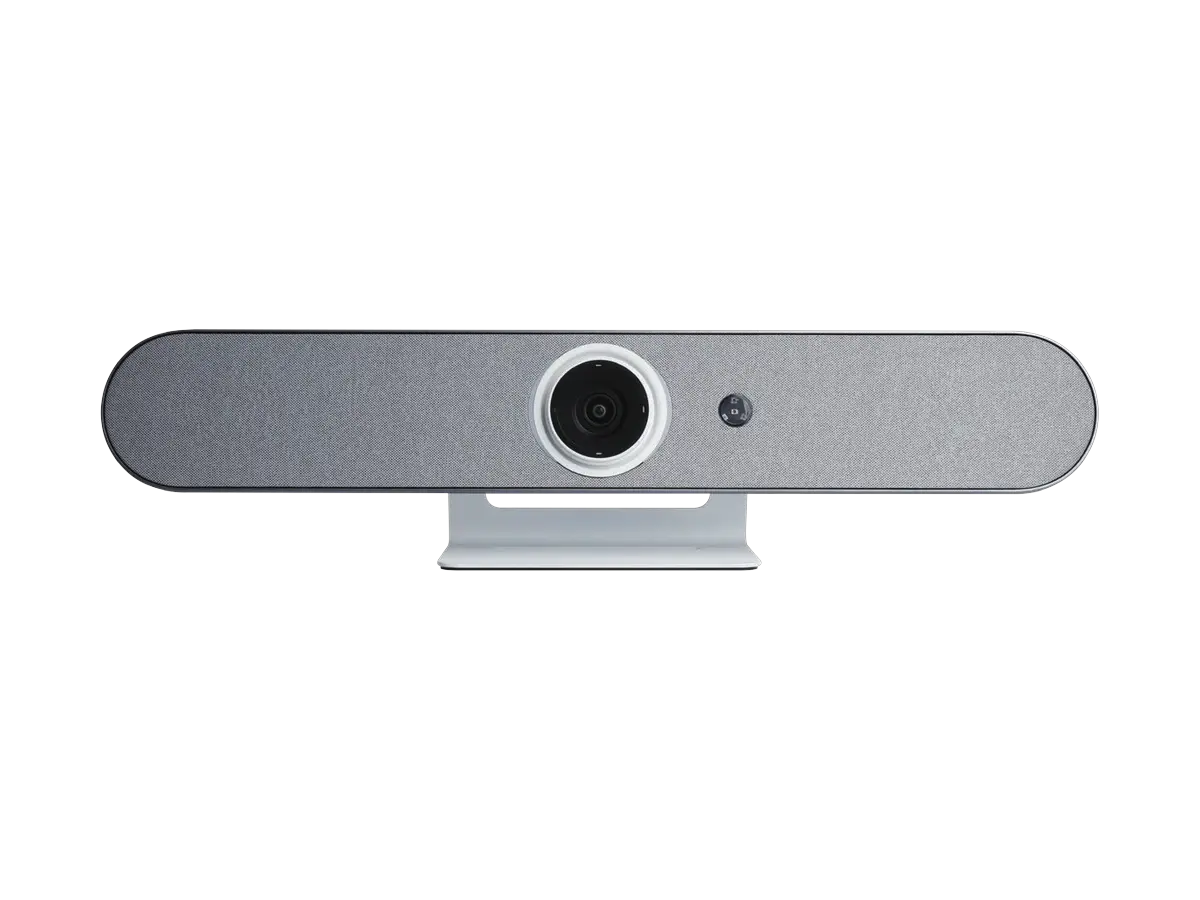
The GV1 Guardian Vision is the same idea with one camera. It has a wide 110 degree view at 8.4 MP with a 5x digital zoom for detail, a four microphone array, an 8 W speaker and a built in computer, Android 14 with 4 GB of memory. It holds the bed and the door in frame from one spot.
| GV2 Vision Pro | GV1 Vision | |
|---|---|---|
| Camera | Dual lens, 110 degree wide plus 20x close up | Wide, 110 degree view, 8.4 MP |
| Zoom | 20x optical | 5x digital |
| Microphones | 6 microphone array | 4 microphone array |
| Speakers | 2 x 8 W | 1 x 8 W |
| Computer | Android 14, 16 GB | Android 14, 4 GB |
| Low light | 0.025 lux, infrared | 0.02 lux, infrared |
| Size | 600 x 128 x 204 mm | 600 x 141 x 115 mm |
| Power | 12 V DC, 5 A, 60 W | 12 V DC, 3 A, 36 W |
| Finish | White or black | White or black |
A room that already has a screen and a computer can use a desk camera instead. The GC12 Desk Camera Wide has a 12x optical zoom. The GC20 Desk Camera Long has 20x and night vision for rooms where the view is far away. Both connect by USB, HDMI or the network.
What goes at the station
The station gets a dedicated HCI ONE Windows app. Guardian also runs in a browser, but for full pan, tilt and zoom control of the room cameras you want the dedicated app.
From that one screen, a nurse can:
- Watch up to 12 rooms at once. Each room shows why the patient is being watched.
- Pan, tilt and zoom. Take the camera to whatever matters in the room.
- Talk to the patient. Start a video visit, or speak through the speaker in the room.
- Manage the care team. HCI ONE has its own care team console, so the nurse sees who is caring for the patient without leaving the station.
Alerts are built in. Integrated alerts can open Guardian on their own. When a bed exit alarm or a code event comes in, the room's video opens on the nurse's screen. Nobody has to hunt for the right camera.
The return, and how to get started
Hospitals are already paying sitters at least $26 an hour to sit in a room and watch one patient. That is the cost Guardian replaces, so the return is instant.
At $26 an hour, one sitter around the clock costs about $227,760 a year. Four patients on 1:1 sitters is $911,040. One nurse at a station watching 4 rooms, saves $683,280 per year.
To get started, pick the rooms that see the most falls, or the unit where your nurses are stretched thinnest. Put a unit in each, point them at one screen at the station, and add rooms as your nurses are ready for more.
The specs for all four models are at hci-tv.com/cameras. To price your rooms, call HCI or book a demo at hci-tv.com/guardian. We will work through it with you.
See the platform behind the writing.
Thirty minutes, real software. We connect HCI ONE to a sample chart and walk your scenarios.
Book a demo ← All posts